Calls
Put a phone call on the record in seconds: record it, upload the recording, or type what was agreed. Reva writes it up and finds the work in it.
A lot of what customers agree happens on a phone call, and none of it reaches WhatsApp. Calls is where those conversations are put on the record, so a quote promised on the phone becomes somebody's job instead of somebody's memory.
Where it is
- On the web: Calls under Conversations in the left rail.
- On the phone: the second icon in the dock, Calls.
Logging a call
Press Log a call. Then:
- Who it was with. Search by name or number and pick the customer.
- Direction. Did they call you, or did you call them? On the phone this reads They called us, We called them or Not sure. The call is filed either way.
- How you have it. Choose one:
- Record: record yourself saying what happened, right after the call. This records your account of the call, not the call itself.
- Upload: if your phone already recorded the call, upload the audio file. Common formats work: mp3, m4a, ogg, webm, up to 200 MB.
- Type: write what was agreed in your own words.
Then save it. On the web the button says what it will do, for example Save note; on the phone it reads File this call for a typed note and Upload and file this call for audio.
You can also tell Ask Reva, in a line or by voice: "Met the Kothari family, liked the 22 kt choker, follow up Monday, about 4 lakh." Reva files it on them the same way, with the expected order, and puts the follow-up in Work on that day.
What Reva does with it
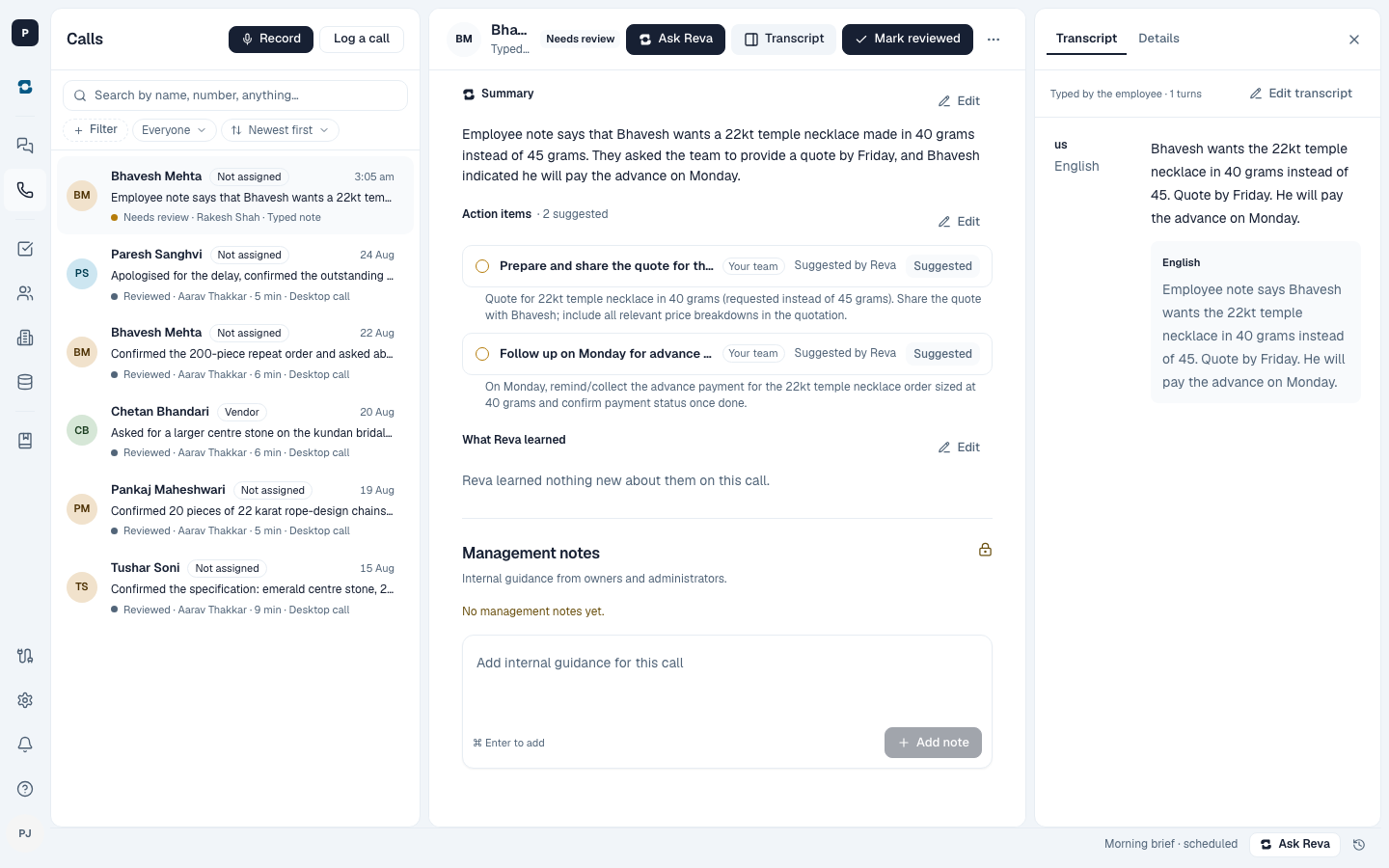
Reva then writes the call up: a short summary, the expected order when one was mentioned, what we said we would do, and what the customer said they would do. Anything that needs doing, such as a quote by Friday or an advance due Monday, comes back as suggested work with the date on it. If the write-up fails, the call is still saved and you can try again from it.
Open the call to see all of it. On the phone the sections are Work, the summary, What we said we would do, What the customer said they would do, and the Transcript when there is a recording.
Who sees what
Everyone sees the calls they took. Owners and admins can see everyone's calls and can leave guidance for whoever took one.