Contacts and firms
Everyone who messages or calls your numbers, and the businesses they buy for, and who can see their details.
Contacts are the people who message or call your numbers. Firms are the businesses they buy for. A new number that messages you becomes a contact, often without a confirmed name or firm yet; you fill those in, and contacts can also be added or imported.
Where they are
- On the web: Contacts and Firms in the left rail.
- On the phone: open the list in the dock (the fourth icon) and choose Contacts or Firms.
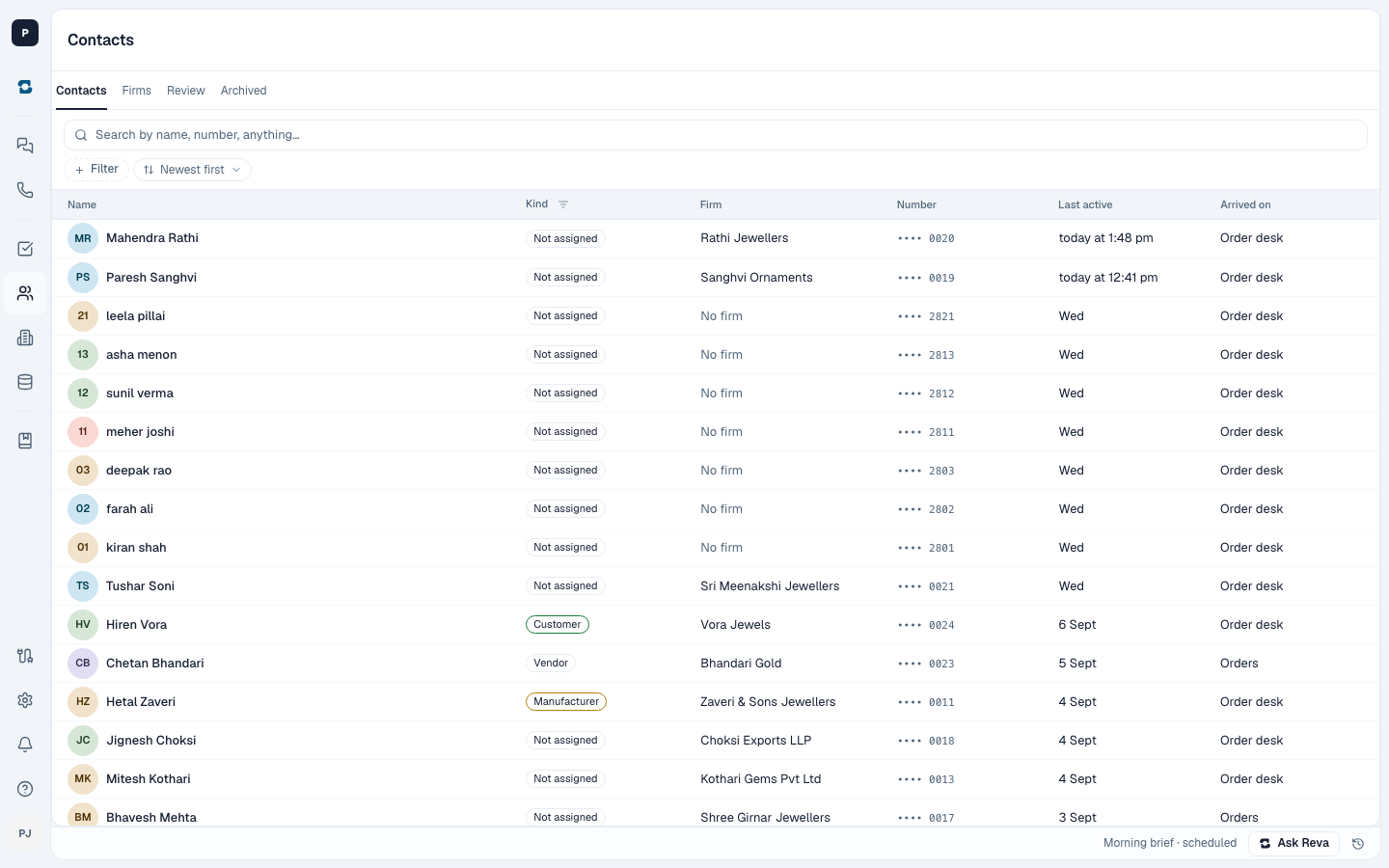
Contacts
Everyone who has messaged or called one of your numbers is here, with their firm once it is set. Open a contact to see their numbers, their firm, and what they are to the business: a customer, a karigar, a vendor, and so on.
Owners and admins can correct a contact's details: on the web by clicking a value in Details, on the phone by changing their firm from the chip under their name.
Firms
Each firm shows where it is and its GSTIN. On the web a firm also lists the people who work there. On the phone that list is not there yet; open the firm on the web to see it.
Who can see what
Contacts and firms are for owners and admins. On the phone, other people can see the contact list, but phone numbers and firm details are withheld from them. An empty numbers section on their screen does not mean the contact has no number.