Create a department
A department is who answers a WhatsApp number. Reva asks for one during setup, and you can add more at any time.
When a message arrives on a number, everyone in that number's department can open the chat and see who the customer is. Nobody else can.
That is the whole idea. A department is not an org chart and it does not decide seniority — it decides reach.
You need at least one before a number will work
A WhatsApp number can only be given to a department that has somebody in it. A workspace with no departments cannot assign its number to anyone, which is why Reva asks for one while you are setting up rather than leaving you to find it later.
Most jewellery businesses start with one or two. Sales and Accounts are the common pair: enquiries and orders go to one, payments and outstanding balances to the other.
During setup
Reva asks on the Your team step, after your business name, or from Team when no department exists yet (Set up your team).
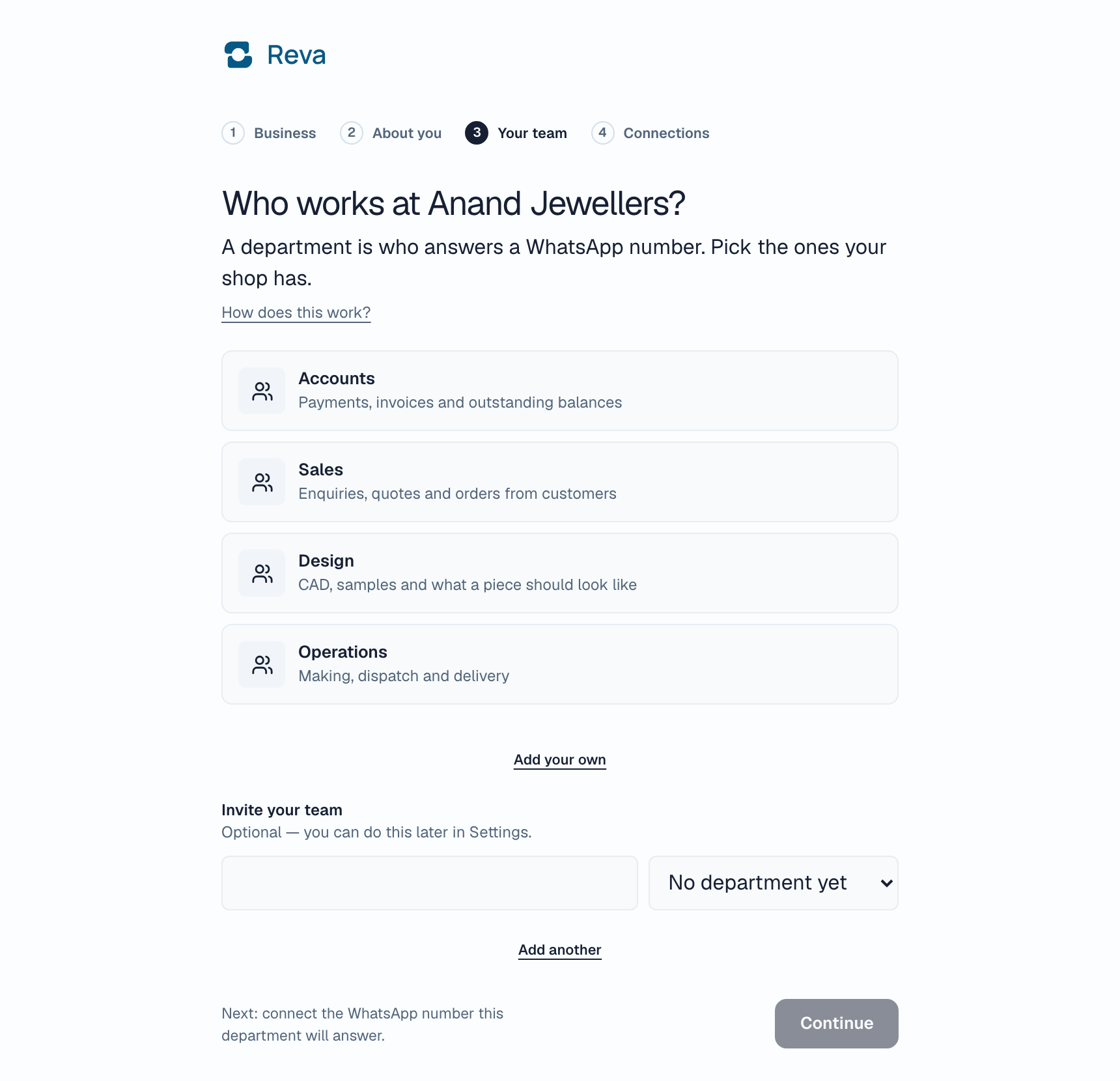
Tick the departments your shop has: Sales, Stock, Orders, Accounts, Production and Dispatch are offered, and you can type your own. You can pick more than one.
You are put into every department you create here, so the number you connect next has somebody who can answer it.
Then press Next. The next two screens ask who works in each department and what they do every day. Both can be skipped and filled in later from Team.
Later, from Settings
Open Settings, then Team. Departments are the second section, under the list of people.
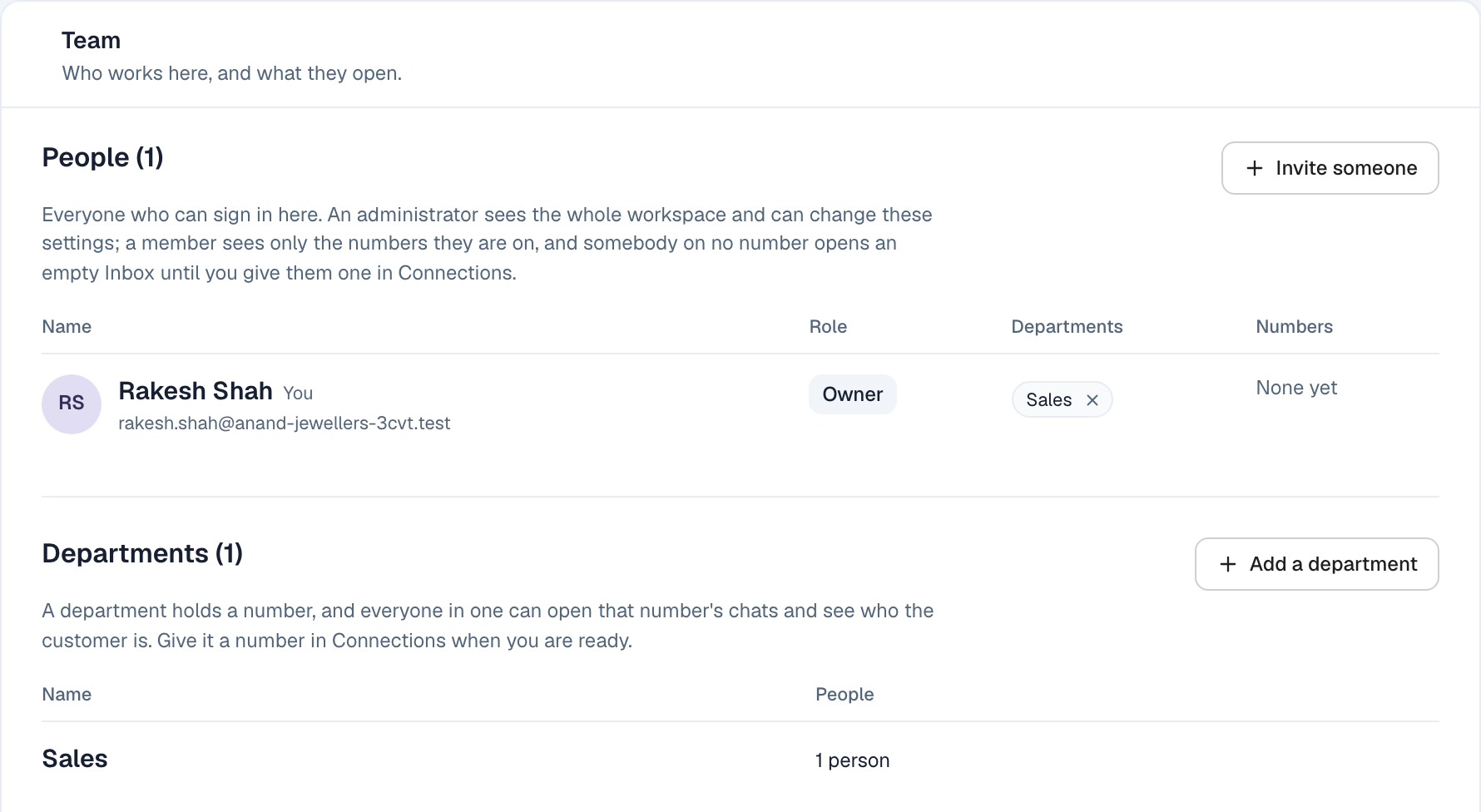
Press Add a department, type its name, and save.
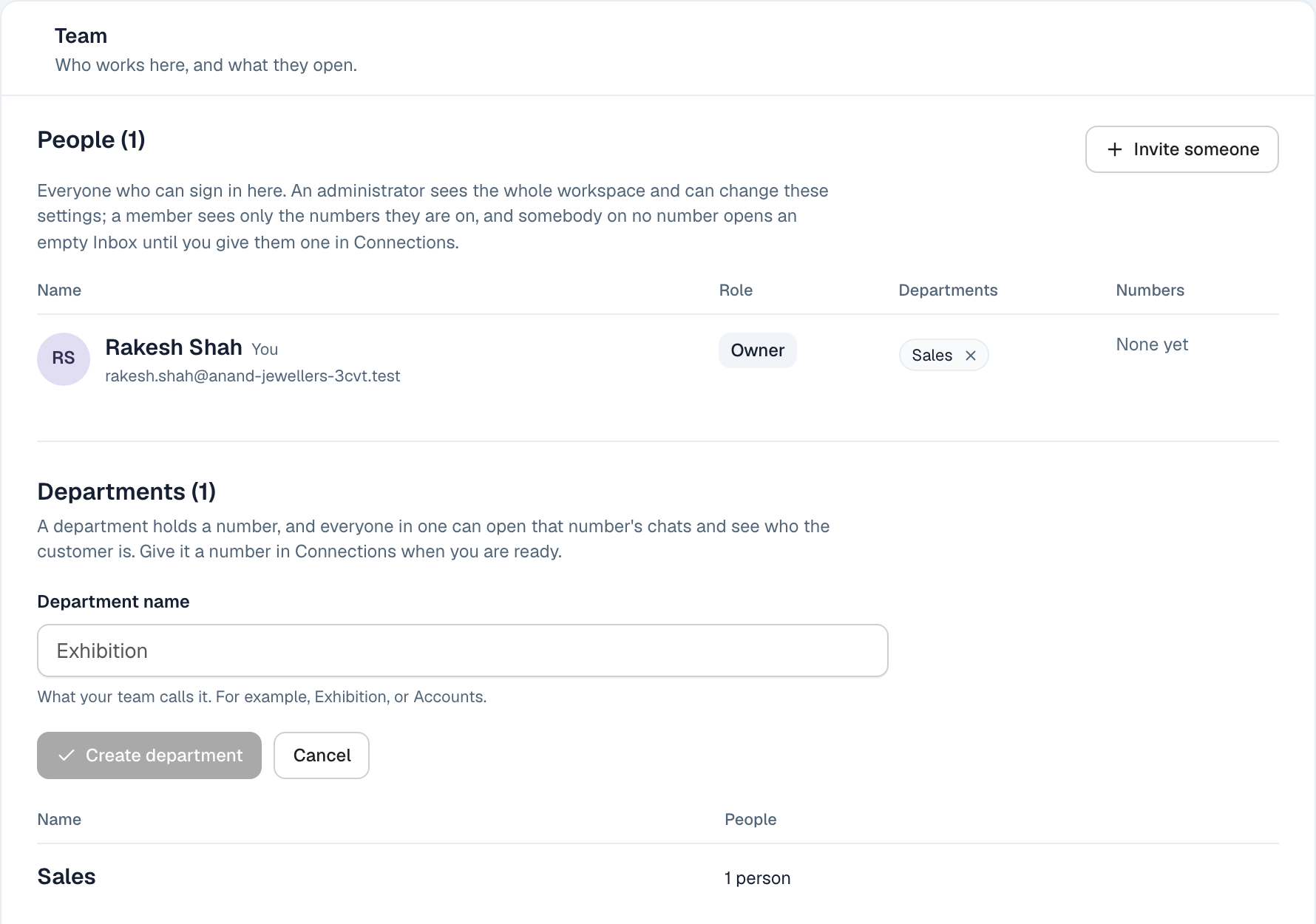
It exists immediately, with nobody in it.
A department with nobody in it cannot be given a number — Reva will show it as having no people rather than letting you route messages into a room with nobody listening. Add at least one person to it before you connect a number to it.
From the Connections screen
If you are already setting up a number and realise you have no department for it, you do not have to leave the screen. Where the number asks who opens it, there is a Create department field.
Type a name and press Create department. You are added to it, and the number setup carries on where you left off — the label you already typed is still there.
What happens next
Once a department exists with somebody in it, connect a WhatsApp number and give it that department. Every message to that number then reaches everyone in it.
Changing your mind later is safe. A department can be renamed, people can be added and removed, and a number can be moved to a different department without losing any of its conversation history.